
I’ve been a WordPress developer for years. I build real products, ship real code, work with real clients. And about a year ago I started using AI tools seriously , not to play with, not to demo, but to actually build production software day to day.
Here’s what I’ve learned. And it’s not what most AI content will tell you.
The first few months were a mess
When I started, I did what most developers do. I opened Claude, typed something like “build me a settings page for a WordPress plugin with these fields” and watched it generate code. It worked. I was impressed. I shipped it.
Then the problems started.
The code didn’t follow my project’s conventions. It made assumptions I never agreed to. It structured things in ways that made sense in isolation but didn’t fit the rest of the codebase. I spent more time fixing and refactoring than I would have if I’d just written it myself.
The problem wasn’t Claude. The problem was me. I had no system. No rules. No documentation. No process. I was just throwing prompts at a tool and hoping for good output.
That doesn’t work. Not at a professional level.
Step 1: Pen and paper before anything else
Now, before I open any AI tool, I grab a pen and paper.
I write down what I’m trying to build. What problem it solves. What it should do. What it should NOT do. Who it’s for. What constraints exist. Just rough notes , sometimes half a page, sometimes more.
This forces me to think before I delegate. And that’s the whole game.
Most developers skip this and go straight to prompting. Then they wonder why the output feels off. It’s off because you didn’t know what you wanted clearly enough. Claude can’t read your mind. It’ll fill the gaps with whatever it thinks is reasonable , and those decisions won’t be yours.
Pen and paper is non-negotiable for me now.
Step 2: Brainstorm with Claude before building
Once I have my rough notes, I don’t jump into building. I go into brainstorming mode with Claude.
I explain what I’m thinking and I ask Claude to ask me questions. This sounds simple but it’s one of the most valuable things I’ve added to my workflow. Claude is genuinely good at pressure-testing an idea when you give it permission to push back.
It’ll ask things like: what happens when a user does X? Have you considered how this conflicts with Y? What’s the priority if both conditions are true?
Some of those questions I’ve already answered on paper. Some I haven’t thought about. By the time the brainstorming is done, I have a much sharper picture of what I’m building and I’ve already caught several problems before writing a single line of code.
Only after this do I say “okay, let’s build.”
Step 3: Small prompts, stay in control
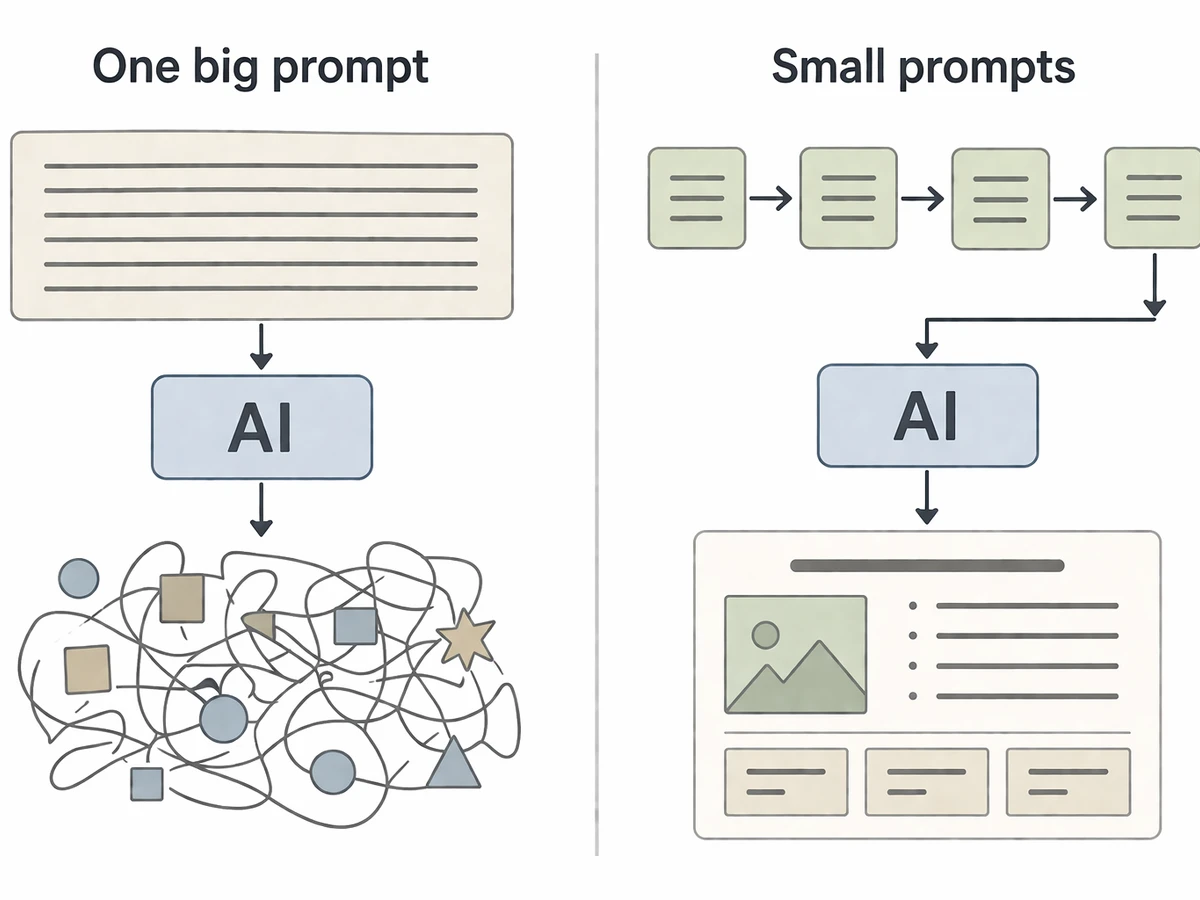
When I move into building, I give small focused prompts , one thing at a time.
I never paste a 10-point requirement and let Claude run. Here’s why: when you give AI a large open-ended prompt, it starts making decisions. It fills the gaps with whatever it thinks is best. And those are not your decisions. You end up with code that technically works but doesn’t fit your architecture, your conventions, or your product logic. Then you’re spending more time undoing someone else’s opinions than building.
Small prompts mean I stay the engineer. Each step is intentional. Each output is something I specifically asked for. Claude is writing the code. I’m designing the system.
That distinction matters a lot.
Step 4: Give Claude a memory
Early on I was repeating myself constantly. Every new session I’d have to explain the project structure, the conventions, the decisions already made. It was exhausting and error-prone.
The fix was building out a set of context files that live in the project. The main one is CLAUDE.md, a document that tells Claude everything it needs to know about how the project works. But I don’t stop there.
I also maintain a rules.md that captures hard rules Claude must never break, coding decisions that are final, and patterns that are non-negotiable. And depending on the project, other supporting files that cover specific domains, like how we handle a particular part of the system or what third-party constraints exist.
Think of it as onboarding documentation, but for AI. When Claude reads these files at the start of a session it’s not starting cold. It behaves more like a developer who’s been on the project for a while, one who already knows what you care about and what to avoid.
These files took time to build up. But they’re one of the highest-leverage things I’ve done. They enforce consistency across every session, every feature, every piece of code that gets written.
If you’re not doing this, you’re leaving a lot on the table.
Step 5: Review everything in the PR
I review every piece of code Claude writes. I read it. I test it. I don’t merge anything I don’t understand.
This is important for two reasons. First, obvious: you need to catch mistakes. Claude makes mistakes. Sometimes subtle ones.
But second, and less obvious: you need to own the code. If something breaks in production and you don’t understand the code you shipped, you’re in trouble. The fact that Claude wrote it is irrelevant. It’s your product, your codebase, your responsibility.
Reading and understanding everything also keeps your engineering skills sharp. You’re not writing as much but you’re still thinking like an engineer. That matters.
Where Claude genuinely fails
Claude is bad at two things: making judgment calls and understanding nuance.
If I leave a decision point open , something that requires product intuition, user empathy, or context that isn’t written down , Claude will just pick something and keep building. Confidently. Without flagging that it made a call.
I’ve learned to spot those moments. And I’ve explicitly told Claude in my workflow: when you hit a decision point that I haven’t covered, stop and ask. Don’t assume. Don’t build past it. Ask.
That single rule has prevented more bad code than anything else.
The uncomfortable truth about AI replacing developers
Here’s my honest take: yes, AI will replace a lot of developers. Not all of them, not overnight, but the trend is clear and pretending otherwise is a waste of time.
But here’s what I actually think you should do about it.
Stop thinking of yourself primarily as a developer and start thinking of yourself as someone who builds things. The code is just one part of that. The more valuable parts , understanding what to build, why to build it, who it’s for, what the product strategy is, how to bring it to market , those aren’t going anywhere.
The developers who survive this shift won’t be the ones who write the most elegant code. They’ll be the ones who understand the whole picture. Who can talk to customers, make product decisions, think about business models, and also happen to know how to direct an AI to build what they’ve designed.
Code becomes a skill you have, like a carpenter who also does their own accounting. Useful. But not the identity.
I’m a developer. But increasingly I think of myself as someone who builds products. The development is something I do , and now, something I partly direct rather than entirely execute.
That shift in mindset is, I think, the most important thing a developer can do right now. Not learning a new framework. Not getting better at prompting. Thinking bigger about what you’re actually doing and what role you want to play.
What I’d tell someone starting this today
Don’t start building. Start thinking. Write on paper first. Brainstorm before you build. Give small prompts. Document your project properly. Review everything you ship. And make the AI ask you questions when it doesn’t know , don’t let it guess.
The quality gap between developers using AI isn’t about who has the better model or the more expensive plan. It’s about who thinks more clearly before they prompt.
Same tool. Completely different output. The variable is always the engineer.